How to Become a VJ: The Five-Stage Path to a Working VJ
To become a VJ you need three things to start: a Windows laptop with a dedicated NVIDIA GPU (RTX 3080+), VJ software (Resolume is the industry standard), and visual content to mix. From there it's practice and reps — most people can be gig-ready in 2-3 months. This guide covers the gear, the skills, and how to land your first gig.
Prefer to watch? Here's our full 30-minute beginner walkthrough — keep scrolling for the written guide.
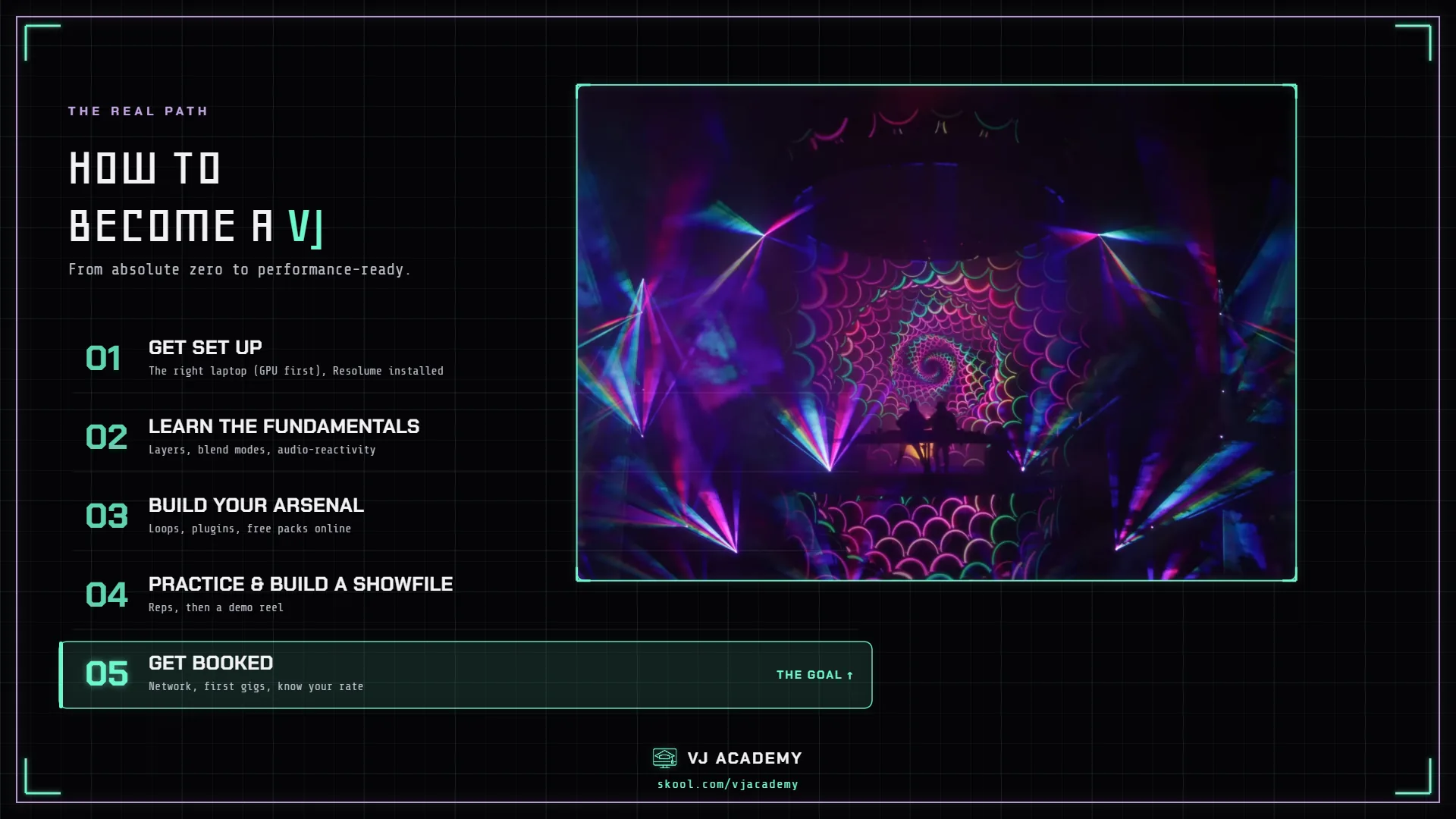
What Is a VJ?
A VJ (visual jockey) creates and performs live visuals — usually at concerts, festivals, nightclubs, and events. Think of it like DJing, but with video instead of audio. While a DJ mixes tracks to control what people hear, a VJ mixes visual content to control what people see.
But it goes beyond nightclubs. VJs work in:
- Live concerts and tours — syncing visuals to the artist's performance on LED walls and projection screens
- Music festivals — running visuals across multiple stages, sometimes for days straight
- Corporate events — branded content, presentations, and immersive environments for product launches
- Projection mapping — turning buildings, sculptures, and objects into dynamic canvases
- Streaming and broadcast — live visual production for Twitch, YouTube, virtual events
- Art installations — permanent or temporary visual experiences in galleries and public spaces
- Worship and houses of prayer — creating immersive visual environments for services
The core skill is the same across all of these: mixing and manipulating visual content in real time, live, in front of an audience. You're part artist, part technician, part performer — making decisions live, with no undo button when you're projecting onto a 40-foot screen in front of 5,000 people.
What Does a VJ Actually Do?
Here's what a typical gig looks like, start to finish — the part most guides skip.
Before the Show
- Prep your showfile — organize your loops, generative clips, and effects into a Resolume composition that fits the event. Group content by energy level, genre, color palette.
- Coordinate with the DJ or artist — get the set order, genre, tempo range, and any specific visuals they want (logo pack, tour visuals, mood board).
- Check the venue specs — how many screens? What resolution? LED wall or projection? HDMI or SDI? Where's your table? Is there power?
Load-In and Setup
- Arrive early — usually 2-4 hours before doors, earlier for festivals.
- Run cables — HDMI from your laptop to the venue's video system. Bring your own cables and adapters, plus backups.
- Test your output — confirm visuals display correctly on every screen: resolution, aspect ratio, brightness.
- Sound check your audio feed — for audio-reactive visuals you need an input from the DJ's mixer or a room mic.
- Map the screens — for multiple or non-standard screens, map your output to match the physical layout.
During the Show
- Read the energy — the crowd, the DJ, the lighting. Calm intro? Subtle textures. Peak-time banger? Full-screen strobes and high-contrast geometry.
- Mix live — trigger clips, blend layers, apply effects, adjust parameters. This is the performance.
- React to the music — sync transitions to drops, use audio-reactive effects, match visual energy to sonic energy.
- Stay flexible — sets change, tech issues happen, the crowd shifts. You adapt in real time.
After the Show
- Tear down — pack gear, coil cables, clear your table.
- Follow up — thank the promoter, share any photos/video, invoice if applicable.
- Archive your showfile — save the composition so you can build on it next time.
Want the guided version of everything below — with the videos, feedback, and working VJs to ask? That's what the Academy is.
The Gear You Need
The honest truth: you don't need much to start. The barrier to entry is lower than most people think. (For the deep-dive version of this section, see our dedicated beginner gear guide.)
1. A Windows Laptop with a Dedicated NVIDIA GPU
This is your instrument — everything runs through it. The short version: GPU first (RTX 3080 or better for live shows), a modern i7/i9, 16GB+ RAM, a 2TB+ SSD, and at least two video outputs. Don't let gear stop you from starting, though — Resolume runs on far less while you learn; the GPU is the upgrade that matters when you're ready to perform.
Our pick is the liquid-cooled Eluktronics HYDROC 16 G2 (Rob's toured on one for 18+ months). The full spec breakdown, current budget picks, and brand comparisons live in our VJ laptop buying guide.
2. VJ Software
Start with Resolume Avenue (€299, ~$330) — the industry standard, what venues and artists expect you to know. Arena (€799) adds projection mapping when you need it, and Resolume offers 50% student/educator pricing plus a yearly Black Friday sale. New to it? Our Resolume beginner guide walks through install, interface, and your first clips — and the full software landscape compares Resolume, VDMX, Synesthesia, NestDrop, MadMapper, and TouchDesigner with honest trade-offs.
3. A MIDI Controller
You can VJ with a mouse and keyboard, but a controller makes the performance physical — the pad grid maps directly to your clip grid. The scene default is the Akai APC40 MKII (~$300), and the full lineup — budget, premium, and the second controller worth owning — is compared in our MIDI controller guide.
4. Cables and Adapters
- HDMI cable (6-10 ft) — $3–14. Bring at least two.
- USB-C to HDMI adapter — ~$12–20, for laptops without full-size HDMI.
- Bring backups of everything. Cables fail, adapters disappear. Always carry spares.
Your Starter Budget
| Tier | Setup | Cost |
|---|---|---|
| Bare Minimum | Existing laptop (dedicated GPU) + Resolume trial + free loops | $0 |
| Budget Starter | Lenovo LOQ 15 + Resolume Avenue + a budget MIDI controller + cables | ~$1,250 |
| Solid Setup | ASUS ROG Strix G16 + Resolume Avenue + MIDI controller + cables | ~$1,700 |
| Pro Ready | ASUS ROG Strix G16 + Resolume Arena + APC40 MKII + cables | ~$2,600 |
You don't need the pro setup to start. A laptop that runs the software, the software, and content to play — everything else comes later.
Learning the Fundamentals
Most people download Resolume, stare at the interface, and feel overwhelmed. That's normal. The learning curve is real but not as steep as it looks. Learn these core skills, in order:
- Learn your software's interface — where things are: importing clips, triggering them, adjusting parameters. Like learning where the keys are before you play.
- Understand layers and blend modes — VJ software works in real-time layers (like Photoshop). Blend modes control how layers interact. This is the foundation of everything. (See our layers and blend modes guides.)
- Master audio reactivity — visuals that respond to the music. This is what makes VJing a live performance instead of a slideshow. (See audio reactivity in Resolume.)
- Build your content library — pre-made loops, your own creations (After Effects, Blender, AI tools), generative plugins, and live camera feeds (NDI, Spout, Syphon).
- Learn MIDI mapping — map every knob, fader, and button to something specific so you can perform without looking at the screen.
- Practice mixing — put on a DJ set, open your software, mix for an hour. Regularly. Record sessions and review what worked.
How Long Does It Take?
Honest answer: you can be gig-ready in 2-3 months practicing a few hours a week. You won't be great yet, but you'll be competent enough to run visuals at a local show. Mastery takes years — but you don't need mastery to start getting paid.
Getting Your First Gig
Build a Demo Reel First
Record 60-90 seconds of your best mixing — screen-record your software, or film your visuals on an actual screen or wall (a projector on a white wall works). Show variety, musicality, and cleanliness. Post it on Instagram, YouTube, anywhere promoters and artists might see it.
Find Local Opportunities
- Nightclubs and bars — many have screens but no VJ. Show the manager your reel; offer a night free or cheap to prove yourself.
- Local DJs — DJs need VJs. Reach out on Instagram to collab.
- Promoters and event companies — they book the talent. Be known and reliable and you'll get calls.
- Open VJ nights — some cities have events where VJs can plug in and perform.
- Houses of worship — a steady, recurring gig market many VJs overlook.
The Secret Nobody Talks About
Reliability matters more than talent when you're starting out. Show up on time, bring your own gear, don't cause problems, deliver consistent visuals. Promoters rebook you because you're easy to work with — the creative growth comes with reps.
Know Your Worth
We're not going to hand you a rate card — what a VJ earns swings hard with the market, the size of the event, the gear you bring, and how much prep the show demands. What we will tell you, from the working professionals around the Academy: the standard professional day rate lands around $1,000–1,500, real quotes are built from line items — performance, gear rental, custom content, travel — rather than one lump number, and every working VJ holds a personal minimum they won't go below. Set yours early, present yourself professionally, and don't undercut the craft: reliability and reps raise your number faster than bargaining ever will.
Building Your Brand as a VJ
Your brand is how people find you, remember you, and recommend you.
- Pick a name — your real name or an alias. Use it consistently everywhere.
- Instagram — where most VJ business happens. Post clips, setup shots, and tag the artists and venues you work with.
- Website or portfolio — even a one-page site with your reel, bio, and contact info makes you look professional when someone Googles you.
- YouTube — longer-form content (tutorials, breakdowns, full-set recordings) builds authority and attracts opportunities.
What actually grows your career: tag everyone you work with (they reshare), network in person (the scene is small — everyone knows everyone), be generous with knowledge, and document everything — recorded sets and behind-the-scenes content create opportunities.
The VJ Industry in 2026
- AI-generated visuals are entering the space. Tools like ComfyUI, Midjourney, and Stable Diffusion generate content. This isn't replacing VJs — it's a new content-creation toolset, and learning it alongside traditional skills is a competitive advantage.
- LED walls are everywhere. Panel costs keep dropping, so more venues and events have screens that need content — more screens, more demand for VJs.
- Corporate and branded events are growing. This is where the higher-paying work is, and it values reliability and professionalism.
- Projection mapping is having a moment. From building-scale installs to gallery pieces — if you can map, you unlock a whole category of work beyond club VJing.
Common Mistakes Beginners Make
- Buying too much gear before learning the software. Master what you have first.
- Only watching tutorials without practicing. Tutorials teach concepts; practice builds instincts. You need both.
- Using too many effects at once. One strong effect beats five competing ones.
- Not organizing your content library. When you're live, you don't have time to scroll 500 unorganized clips.
- Waiting until they're "ready" to perform. You'll never feel ready. Take the gig — one live show teaches more than a month of bedroom practice.
- Ignoring audio reactivity. If visuals don't respond to the music, they feel disconnected.
- Not networking. The VJ scene runs on relationships, not cold pitches.
Frequently Asked Questions
What is a VJ?
A VJ performs visuals live — mixing video in real time at concerts, festivals, clubs, and corporate events. The visual counterpart to what a DJ does with sound.
How long does it take to become a VJ?
Practicing a few hours a week, most people can run visuals at a local show within 2-3 months. The craft keeps deepening for years — paid work doesn't wait for mastery.
Do you need a Mac or a PC to VJ?
You can VJ on either — Mac isn't bad. But in our experience Windows is almost always the better value: for the same money, a Windows laptop with a dedicated NVIDIA GPU (RTX 3080 or better) gets you more raw firepower for VJing, plus more ports and access to Windows-only plugins. If you prefer Mac, go with a MacBook Pro.
What software do VJs use?
Resolume Avenue is the industry standard and the right starting point; Arena adds projection mapping when your gigs need it. Synesthesia is the audio-reactive favorite, and Resolume's free trial means you can learn before spending anything.
How much do VJs charge?
Among working professionals the standard day rate runs $1,000–1,500, shaped by market, event size, and the gear you bring. Pros quote itemized — performance, gear, content, travel — never one lump number, and hold a personal minimum.
How do you get your first VJ gig?
Cut a short reel of your best mixing and get it in front of local clubs, DJs, and promoters. What earns the rebooking early on is professionalism: punctual, self-contained, consistent.
What's Next?
If you've read this far, you're serious. Here's your first week:
- Download Resolume — the trial is free and fully functional.
- Find 20-30 VJ loops — free packs exist everywhere; get a variety of styles.
- Import them and start mixing — your first hour in the software teaches more than a night of videos.
- Record your session — watch it back, note what worked.
- Join a community — other VJs to ask questions and learn from accelerate everything.
VJ Academy has 100+ tutorials covering Resolume, Synesthesia, NestDrop, Notch, After Effects, and more — plus exclusive plugins, project files, and a community of 600+ VJs at every skill level. If you want a structured path instead of scattered tutorials, start your 7-day free trial.
Last updated: July 2026. Prices and software versions verified at time of writing.